
Contact Form 7 是一款非常多人使用的聯絡表單外掛。安裝後,預設會在所有頁面都載入外掛的 JavaScript 跟 CSS,影響整體效能,因此希望只在有表單的頁面才載入。
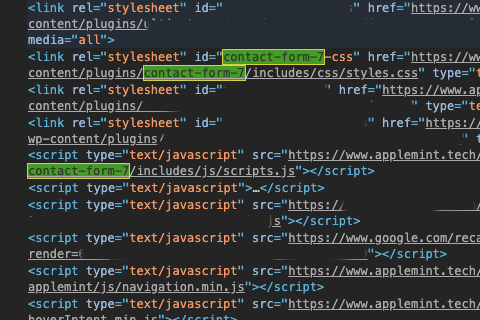
其實官方有提供正式解決方案,但是這個做法必須要自行建立頁面範本 (page template),對於無法直接存取目錄的人來說,可能會是個問題。因此找到了另外一種解決方式:偵測 Contact Form 7 的短代碼 (shortcode)。這種做法,可以直接透過 Code Snippets 來進行。
<?php
/**
 * 運作邏輯:取得當前文章,搜尋其中是否包含 "contact-form-7" 的短代碼,如果沒有,則不載入
 * Contact Form 7 的資源。
 */
function hyc_cf7_scripts() {
    $load_scripts = false;
    if( is_singular() ) {
    	$post = get_post();
    	if( has_shortcode($post->post_content, 'contact-form-7') ) {
        	$load_scripts = true;
		}
    }
    if( ! $load_scripts ) {
        wp_dequeue_script( 'contact-form-7' );
	    wp_dequeue_script( 'google-recaptcha' );
        wp_dequeue_style( 'contact-form-7' );
    }
}
add_action( 'wp_enqueue_scripts', 'hyc_cf7_scripts', 99 );
程式碼說明
這裡使用到了 wp_enqueue_scripts 這個勾點,在 WordPress 載入這些靜態資源時進行判斷。
首先,先建立變數 $load_scripts,用來判斷這個頁面是否有 Contact Form 7 的短代碼。因為一般頁面預設並不會有短代碼,因此預設值是 false。
接著,透過 get_post() 的方法,取得當前頁面,而如果當前頁面的內容 ($post -> post_content) 包含了 contact-form-7 這個短代碼,這時候 $load_scripts 就會回傳 true,表示內文中包含了 Contact Form 的短代碼。
如果判斷完以後,$load_scripts 仍然是 false,那麼透過 wp_dequeue_script 跟 wp_dequeue_style,將 Contact Form 7 的靜態資源移除。


